A manual workflow drains a business in five ways at once, and none of them show up on an invoice: staff hours burned on copy-paste and chasing sign-offs, slow turnaround that quietly sends customers to a faster competitor, errors that get more expensive the further downstream they travel, no record of who did what, and a process that lives in one person’s head. The reason it keeps draining is that it is invisible. You feel the business is busy and stretched, but you cannot point to the line item, because there is no line item.
So before reaching for a tool, the first job is to diagnose where your own workflows leak. This guide gives you the signs to look for, a back-of-the-envelope way to put a number on the drain, and then how automation and AI close each leak. The throughline is data: a manual workflow is really raw data being moved, retyped, and checked by hand, and most of the cost hides in that handling.
Most owners already feel this. Over 40% of workers say they spend at least a quarter of their work week on manual, repetitive tasks like data entry and chasing information (Smartsheet, 2021). That is a full day a week, per person, spent on work no customer ever sees.
The five leaks: where manual workflows drain a business
Manual work does not fail loudly. It leaks. Here is where the money goes.
1. Staff hours on copy-paste and chasing
The most visible leak, and still the one most owners underestimate. Every time a person reads a number off one screen and types it into another, that is paid time producing nothing new. A typical office worker spends around 1.5 hours a week just copy-pasting or manually keying data into business systems like a CRM or accounts package (Smartsheet, 2021), and that is before the time spent forwarding emails to get an approval, or pinging a colleague to ask where a file is.
The sign to look for: the same piece of data gets entered more than once. An order that is typed into email, then a spreadsheet, then the invoicing tool, is being paid for three times.
2. Slow cycle times that lose customers
This is the leak owners feel as lost deals without ever connecting it to the workflow. When a quote, an order confirmation, or a reply to a new enquiry has to wait for a person to get to it, the clock is running against you. Research on lead response is blunt: firms that contact a new lead within an hour are about seven times more likely to have a meaningful conversation with a decision maker than those who wait even sixty minutes longer (Harvard Business Review, 2011). A manual handoff that adds a day to your turnaround is not a minor delay. It is the gap a faster competitor walks through.
The sign to look for: work sits in an inbox or a tray waiting for a human step, and your customers occasionally mention that someone else got back to them first.
3. Errors that cost more the further they travel
A manual error is cheap to catch at the keyboard and ruinously expensive once it reaches a customer. Quality management has a name for this, the 1-10-100 rule: a defect costs roughly one unit to prevent at the source, ten to correct once it is inside your process, and a hundred once it has reached the customer (Labovitz and Chang, Making Quality Work, 1992). And errors are not rare. A landmark study found that 47% of newly created records contained at least one error serious enough to affect work (Harvard Business Review, 2017). The wrong price on an invoice, the wrong address on a shipment, the wrong figure in a report all started as a single mistyped field that nobody caught.
The sign to look for: you discover mistakes only when a customer complains or a number does not reconcile at month end.
4. No audit trail when you need one
When the work happens by hand, the history of it lives in memory and email threads. That is fine until the day a customer disputes a charge, a supplier queries an order, or an auditor asks who approved something. Now someone spends hours reconstructing a story from scraps, and sometimes the answer is simply lost. Manual workflows do not record themselves, so every dispute becomes an investigation.
The sign to look for: nobody can quickly tell you who changed a record, when, or why without asking around.
5. Key-person dependency
The quietest and most dangerous leak. When a process lives in one person’s head, the business does not own the process, that person does. The work runs smoothly right up until they take leave, fall ill, or resign, and then it stalls because the steps were never written down or built into a system. For a small business this is a real continuity risk, not a hypothetical one.
The sign to look for: a task you cannot run, or cannot run correctly, when one specific person is away.
How to estimate your own drain in ten minutes
You do not need a consultant to size this. Pick one task and run a rough sum.
- Time it. How many minutes does one run take, start to finish?
- Count it. How many times a week does it run, and how many people touch it?
- Cost it. Minutes times runs times people times their hourly cost times about 50 working weeks gives you the yearly labour cost of that one workflow.
- Add the error tax. Roughly how often does it go wrong, and what does a single mistake cost once it reaches a customer? Use the 1-10-100 idea: the downstream cost is the one that hurts.
- Add the lost business. If slow turnaround costs you even one in twenty enquiries, what is that in revenue a year?
A worked feel for it: a 12-minute task, run 40 times a week, by 3 people at 300 rupees an hour, is roughly 3.6 lakh a year in labour alone, before a single error or lost customer is counted. Run the sum on three or four of your most repetitive workflows and the hidden drain stops being abstract. The point is not a precise figure. It is a number big enough to decide whether the leak is worth closing.
How AI and automation close each leak
Once you can see the leaks, fixing them is targeted, not a rip-and-replace. Each drain has a specific fix, and all of them work on the same principle: let software move and check the data so people do not have to.
-
Copy-paste, fixed by integration. Instead of a person rekeying an order from email into the accounts system, the systems are connected so the data flows once and lands everywhere it needs to. This is AI workflow integration: the handoffs between your tools stop being human steps. The 1.5 hours a week of keying disappears into the background.
-
Slow turnaround, fixed by automation that runs on a trigger. A new enquiry, an order, or a payment can kick off the next step the moment it arrives, day or night, instead of waiting for someone to notice. Automated routing and instant acknowledgements close the response-time gap that loses customers to faster rivals. See AI automation solutions.
-
Errors, fixed by validation at the source. Software can check a field as it is entered, flag an invoice that does not match its purchase order, and catch the duplicate before it spreads. This is where the 1-10-100 rule turns in your favour: the error is stopped at the one-rupee stage instead of escaping to the hundred-rupee one. Automated matching and reconciliation are a natural fit here, which is why we treat reconciliation as a workflow problem through ML-powered reconciliation.
-
No audit trail, fixed automatically. An automated workflow logs every step as it happens: who, what, when, and why, captured without anyone having to remember. When a dispute or an audit lands, the answer is a query, not an investigation.
-
Key-person dependency, fixed by encoding the process. The moment a task is built into a system rather than a person’s habit, the business owns it. It runs the same way whether the usual person is there or not, and a new hire inherits a process instead of a mystery.
Where it goes beyond moving data is intelligence. Once the data is flowing cleanly, the same pipes can carry a decision: a model that scores which new lead to call first, flags which invoice looks wrong, or predicts which order is likely to be delayed. That is the step from automation to data intelligence, where the workflow does not just run faster, it makes a smarter call along the way. The honest sequence is data first, decisions second.
The order of operations that protects your budget
The trap is automating a broken process on top of messy data, which just produces wrong answers faster. A workflow is only as good as the data underneath it, so the cheapest insurance is to fix the foundation first.
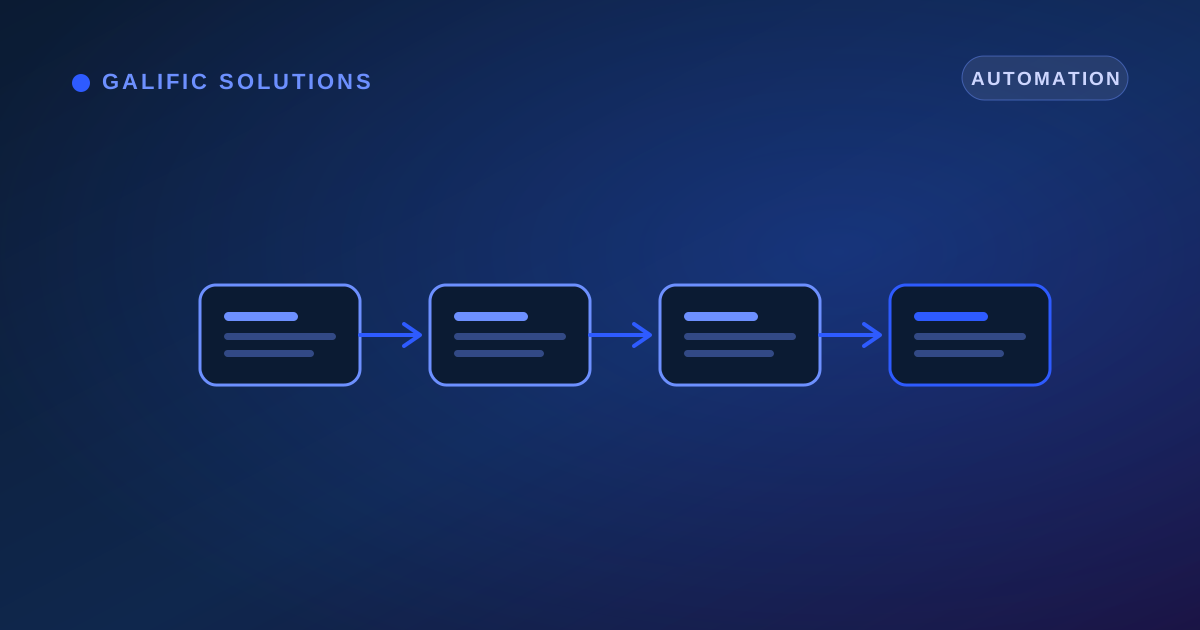
- Audit where it leaks. Map one workflow end to end and mark the manual entry, the waiting, the rework, and the record-hunting. The figure above is a template for this.
- Check the data. See whether the underlying records are clean, consistent, and connected, or scattered across paper, spreadsheets, and tools that do not talk. If the data is a mess, no automation rescues it.
- Clean and connect. Get the data into a structured, single source through proper data engineering before wiring anything together.
- Automate the highest-cost leak first. Pick the workflow with the biggest number from your estimate, automate that one, measure the time and errors saved, then move to the next.
This is the audit-first approach, and it exists to stop you spending on a tool before you know the data can support it.
Conclusion
Manual workflows do not announce themselves. They drain quietly: an hour of copy-paste here, a customer lost to a slow reply there, an error caught too late, a dispute with no paper trail, a process that walks out the door when one person does. Because none of it is a visible line item, it is easy to mistake the drain for the simple cost of being busy.
The fix starts with diagnosis, not technology. Find your leaks, put a rough number on each, and you will know exactly which workflow is worth automating first. From there, automation and AI close the leaks one at a time, turning raw data that used to be moved by hand into a clean flow that runs itself, and increasingly, into a decision. If you want to find where your own business is leaking, a short data and workflow audit is the place to start, before you spend a rupee on a tool.