Indian software-as-a-service (SaaS) teams tend to automate the same handful of workflows, in the same order, because the same manual chores quietly drain every growing company. Five patterns recur: automated lead qualification and routing, support ticket triage and deflection, customer onboarding nudges, churn-risk alerts, and billing and dunning automation. Each one replaces a repetitive human loop with a rule or model that reads your data and fires an action.
This holds whether you are a venture-backed platform in Bengaluru or a five-person tool serving local businesses. The mechanics are not exotic. What separates the teams that get value from the ones that do not is rarely the algorithm. It is whether the underlying data is clean, connected, and complete enough for the automation to trust.
The stakes are real and rising. India’s SaaS industry is on track to reach roughly $100 billion by 2035, up from about $20 billion today (SaaSBoomi and Bain, via Business Standard, 2025), and AI-powered automation is named as one of the primary growth levers. The opportunity is not a fancier product. It is removing the manual drag inside the business you already run.
Below are the five archetypes. For each: the manual pain, what actually gets automated, and the data it depends on. These are recognizable patterns across the industry, not claims about any one named company’s private results.
The shape every one of these shares
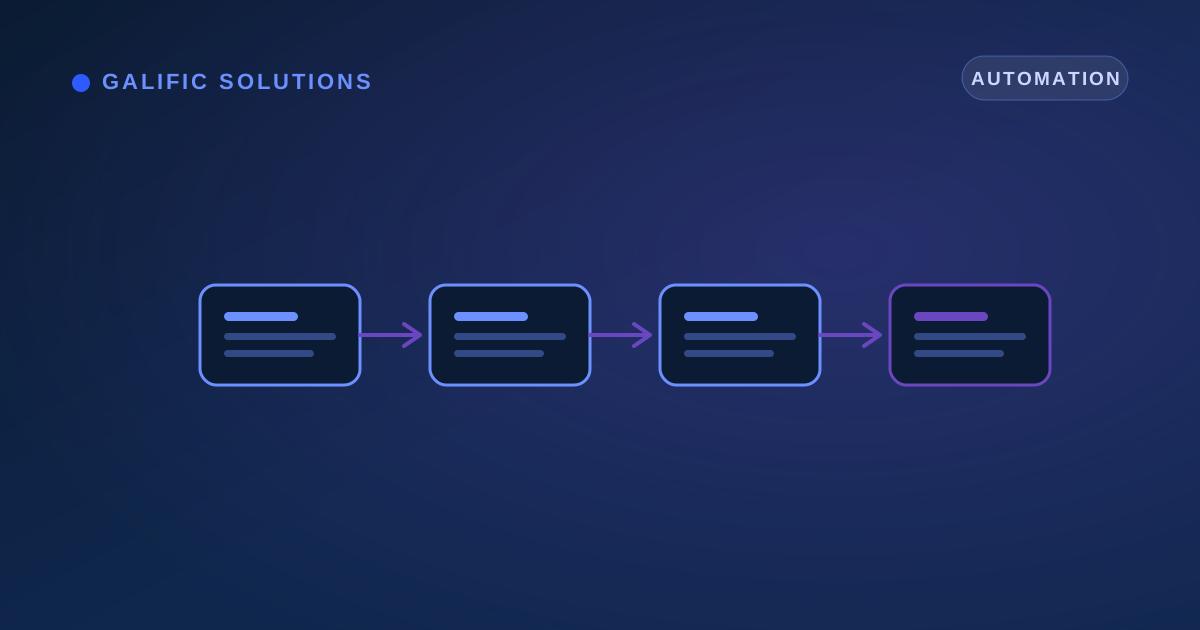
Before the specifics, notice the common skeleton. Every automation here is the same three-beat move: a trigger fires, data is checked, an action happens. A new signup arrives (trigger), the system reads the email domain and company size (data), it routes a hot lead to sales or drops a cold one into nurture (action). Get this shape right once and the other four archetypes are variations on it.
Archetype 1: Automated lead qualification and routing
The manual pain. A demo request lands in a shared inbox. Someone notices it an hour later, eyeballs whether it looks serious, and forwards it to a salesperson who may be asleep, on leave, or already buried. Good leads go cold while they wait in a queue.
What gets automated. The signup or form fill is the trigger. The system reads the firmographic data on the lead (work email domain, company size, country, the plan they expressed interest in) plus any behaviour you have captured, scores it, and routes it: hot leads to a salesperson with an instant alert, lukewarm ones into a nurture sequence, junk filtered out. The whole loop runs in seconds, any hour of the day.
Why it pays. Speed is the entire game here. Contacting a lead within five minutes rather than thirty raises the odds of qualifying it by 21 times (MIT, Oldroyd 2007), and firms that respond within an hour are about seven times more likely to qualify a lead than those who wait longer (Harvard Business Review, 2011). No human team can hit five minutes around the clock. An automated qualify-and-route workflow can, which is why this is almost always the first thing a SaaS team automates.
The data it needs. Clean lead capture (a real company field, not a free-text blob), a way to enrich the email domain into firmographics, and a customer relationship management (CRM) system the router can write into. If your signup form collects nothing useful, no model can qualify the lead. This is exactly the kind of gap a data audit surfaces before you build.
Archetype 2: Support ticket triage and deflection
The manual pain. Every incoming question, from “I forgot my password” to “your billing is broken and I am furious,” lands in one queue and gets handled first-come, first-served. Agents burn hours on repetitive questions while genuinely stuck customers wait behind them.
What gets automated. Incoming tickets are read and classified by topic, urgency, and sentiment, then routed to the right place. The repetitive, answerable ones (password resets, “where is my invoice,” basic how-to) are deflected to an assistant grounded in your help content and order data. The rest are tagged and prioritized so a human picks up the urgent and the angry first.
The honest nuance. Deflection is not the same as resolution, and conflating the two wastes money. Gartner found that AI deflects more than 45% of queries but only about 14% reach genuine self-service resolution. A query that is “handled” without being solved simply returns as a second ticket. The goal worth automating for is resolution, and that only happens when the assistant is grounded in clean, current help articles and live account data, not a stale knowledge base.
The data it needs. Well-maintained help content, a ticket history to learn the common categories from, and access to order or subscription status so the assistant can answer “where is my refund” with a real answer rather than a deflection. Garbage knowledge base in, frustrated customer out.
Archetype 3: Customer onboarding automation
The manual pain. A new customer signs up, logs in once, gets confused, and quietly disappears. Nobody notices until renewal, when it is too late. Poor onboarding is the third-largest cause of churn, responsible for around 23% of it (Retently). The first two weeks decide whether a customer stays.
What gets automated. The system watches product usage events for each new account and nudges based on what the customer has and has not done. Completed the setup wizard? Good, suggest the next feature. Has not invited a teammate or hit the “aha” action by day three? Trigger a guided email, an in-app tip, or a flag for a success manager to reach out. The nudges are driven by behaviour, not by a fixed calendar blast everyone ignores.
The data it needs. This archetype lives or dies on product usage events tied to each account: logins, key actions taken, features first used, milestones reached. If your product does not emit these events, or they are not linked to the right customer record, behaviour-based onboarding is impossible. Getting raw event streams into a clean, queryable shape is a data engineering job, and it is the prerequisite for everything in this archetype and the next.
Archetype 4: Churn-risk alerts
The manual pain. Customers rarely announce that they are leaving. Usage tapers, a power user stops logging in, support tickets turn sour, and by the time anyone notices, the cancellation email has arrived. Account managers are reacting to churn instead of preventing it.
What gets automated. This is the one archetype where a trained model usually earns its place over simple rules. The model watches dozens of signals per account (declining logins, fewer key actions, support sentiment, payment failures, seats going unused) and outputs an early risk score. Accounts crossing a threshold trigger an alert to the success team while there is still time to act. The action is a human conversation; the automation is the early warning.
The data it needs. Rich, account-linked usage history, plus billing and support records, all joined so a single account’s full picture is visible in one place. A churn model is only as good as that joined data. If usage events sit in one tool, payments in another, and tickets in a third with no common key, the model is guessing. Turning that into reliable, ongoing risk scores is the kind of work our data intelligence practice exists for.
Archetype 5: Billing and dunning automation
The manual pain. A subscription payment fails because a card expired. Without a system, that revenue silently leaks: nobody chases it, the customer does not realize, and the account lapses. Finance reconciles by hand and discovers the gap weeks later.
What gets automated. A failed or upcoming-to-fail payment is the trigger. A dunning sequence (the structured series of reminders that recovers a failed charge) fires automatically: a friendly heads-up before the card expires, a retry on a smart schedule, an email with a one-click update link, an escalation if it keeps failing, and a clean handoff to a human only when the automation is exhausted. The timing and tone are tuned to recover the payment without annoying a good customer.
The data it needs. Reliable payment and subscription records, retry and failure logs, and a clean link between the billing record and the customer so the right person gets the right message. Messy billing data produces the worst outcome of all: chasing a customer who already paid. This is where structured, trustworthy records matter most, which is why getting source data clean and digital through data digitization underpins any billing automation worth running.
The thread through all five
Look across the archetypes and the pattern is unmistakable. Every one of them is the same loop, trigger, qualify with data, act, and every one is bottlenecked by the same thing: the data underneath. Lead routing needs clean capture. Support resolution needs current content and live order status. Onboarding and churn need account-linked usage events. Dunning needs trustworthy billing records.
This is why a serious automation project does not start with picking a tool. It starts with an honest look at whether the data can support the workflow at all. Raw, scattered records become cleaned and connected data, then the intelligence to score or classify, then an automated decision delivered inside the tools your team already uses. Skip the data step and the automation fires on bad inputs, which is worse than no automation, because now it is wrong at scale.
How Galific builds these workflows
We audit the data first, because every archetype here depends on it. A low-cost data check confirms the events, records, and account links exist and are clean enough to trust, before you spend on a build. From there we prove the automation on one workflow, the one that hurts most, then wire it into the CRM, help desk, or billing system your team already uses. It is delivered from India and priced for SMEs, and it sits alongside the rest of our AI automation and workflow integration work.
The recognizable SaaS automations are not magic. They are five well-understood loops, each one only as reliable as the data it reads. Get the data right, automate one loop at a time, and the manual drag that quietly slows every growing company starts to disappear.