To transform a manual workflow with AI, you do not start with AI. You pick one painful, repetitive, high-volume process, map it step by step, and capture the data at each step. Then you decide which steps a simple rule can handle and which genuinely need a model, wire the result into the tools your team already uses, keep a human on the exceptions, and measure the before and after. The technology is the last quarter of the work. The first three quarters are understanding the workflow and the data moving through it.
This matters because the savings are real and most teams leave them on the table. McKinsey estimates that around 50% of all work activities could already be automated with existing technology, and that about 60% of occupations have at least 30% of their tasks automatable (McKinsey). The gap is not capability. It is method: teams try to automate a vague “process” instead of mapping one workflow precisely enough to see where the time actually goes.
Below is the method, followed end to end on one concrete example a reader can copy: invoice intake, the journey of a supplier invoice from inbox to approved-and-paid.
Step 1: Pick one workflow worth transforming
Resist the urge to automate everything. The first workflow should be high volume, repetitive, and rule-heavy, the kind of task a person does the same way hundreds of times a month and could explain out loud. Those traits are what make it both painful enough to be worth fixing and structured enough to actually automate.
Invoice intake fits perfectly. It is high volume, it follows the same steps every time, and the cost of doing it by hand is well documented. Manual invoice processing runs roughly $12 to $30 per invoice, against $1 to $5 once automated, with labour the largest share of that cost (APQC, via Resolve, 2024). A finance clerk processes about five manual invoices an hour. The same person on an automated flow handles several times that. Multiply the per-invoice gap across a year and the case writes itself.
Poor first picks: creative work, rare one-off tasks, and anything where the steps change every time. Those are where judgement lives, and judgement is the part you keep.
Step 2: Map the workflow and capture the data at each step
This is the step that decides the project, and the one most teams skip. Sit with the person who does the work and write down every step, who does it, how long it takes, and what data moves through it. You are looking for two things: where the time is lost, and what data each step produces or needs.
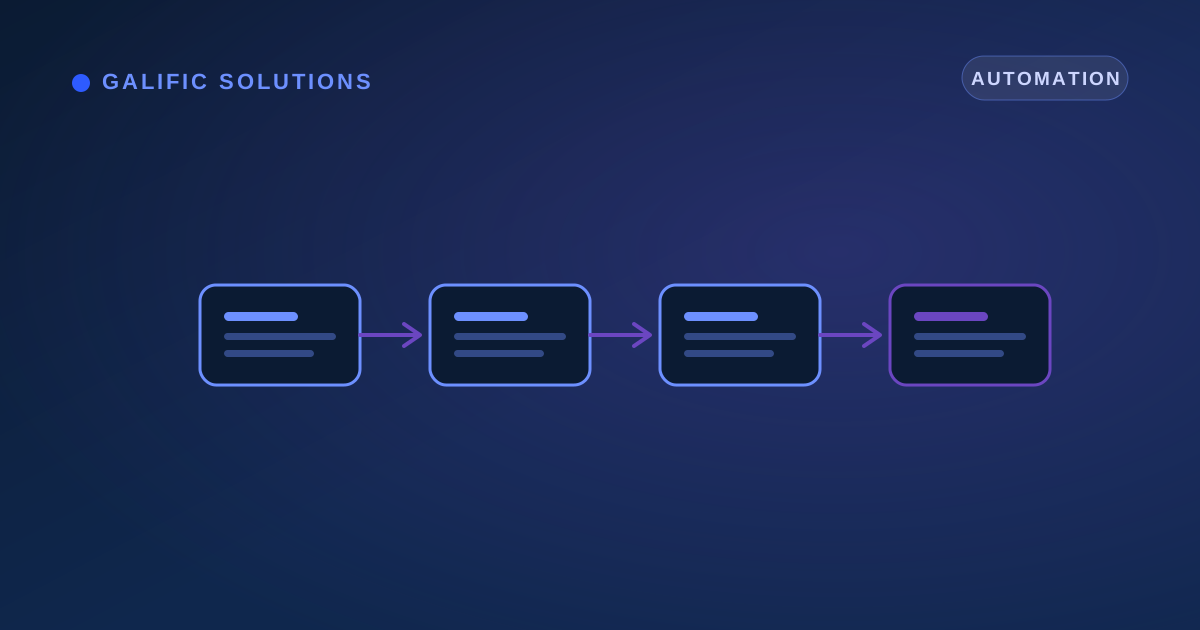
For invoice intake, the manual map usually looks like this:
- Invoice arrives by email or post. Someone opens it.
- A clerk reads it and types the supplier, invoice number, date, line items, tax, and total into the accounting system.
- They match it against the purchase order and goods-received note.
- They route it to the right manager for approval.
- They chase the approver, file the document, and schedule payment.
Notice how much of that is moving and re-keying data, not deciding anything. That is the tell. Each step also has a data capture point: the document itself (step 1), the typed fields (step 2), the match result (step 3), the approval decision (step 4). Capturing that data cleanly is what makes the later steps automatable, and it is exactly the raw-to-structured groundwork a data digitization effort handles when the inputs are paper or PDFs.
The manual error rate is the other thing the map exposes. Hand-keyed data carries a 1% to 4% error rate per field, and at the volume an SME processes, that quietly compounds: studies find 18% to 40% of records end up with at least one error (Lido, 2024). Every error is rework downstream.
Step 3: Decide what becomes a rule and what needs a model
With the map in front of you, split each step into one of two buckets. This single decision controls the cost and reliability of the whole build.
- Rules are fixed instructions you can write down. “Auto-approve any invoice under a set amount from an approved supplier.” “Flag any invoice whose total does not match its purchase order.” Rules are cheap, fast, and fully explainable, and they cover more of a typical workflow than people expect.
- A model is for steps where the answer is not fixed. Reading the fields off a scanned or PDF invoice, where every supplier’s layout differs, is a real model job, document understanding, often called intelligent document processing. So is a judgement like predicting which invoices are likely duplicates.
For invoice intake, exactly one step genuinely needs a model: reading the document (step 2). The matching, routing, and approval logic (steps 3 to 5) are rules. Getting this split right is the difference between a lean, reliable system and an over-engineered one, which is why Galific separates rule steps from model steps before building anything in an AI workflow integration project.
The figure below shows the same invoice workflow before and after, with the manual time per step collapsing once each step is handled by the right tool.
Step 4: Wire it into the tools the team already uses
A working automation that lives in its own separate app is a failure, because nobody opens a second app. The output has to land inside the tools the team already works in. A read invoice should appear as a draft entry in your accounting software. A flagged mismatch should show up as an approval task where approvals already happen. A clean invoice should post automatically and quietly.
In practice this is integration work: the model and rules sit between the inbox and your accounting or enterprise resource planning (ERP) system, and connect through the file formats and interfaces those tools already expose. Done right, the person who used to key invoices simply sees the queue shrink. They do not learn a new screen. This connective layer, taking a result and delivering it as an action inside existing software, is the heart of practical AI automation.
Step 5: Keep a human in the loop for exceptions
Full automation of every case is the wrong goal and the fastest route to a costly mistake. The right design is automate the clear cases, escalate the uncertain ones. Every model output carries a confidence score. Above a threshold, the invoice flows through on its own. Below it, a mismatch or an unusual amount, it queues for a quick human check.
This is what keeps accuracy high while still removing most of the manual work. In a typical invoice flow, the system might handle the bulk of invoices end to end and route the remainder to a person, so the clerk reviews a handful of genuine exceptions instead of keying every line of every document. Two bonuses follow. First, the rare cases still get human judgement, which is where errors are expensive. Second, every human correction becomes training data, so the model’s confident share grows over time. Raw data turns into a structured decision, and the decision turns into a posted, paid invoice.
Step 6: Measure the before and the after
If you did not record the manual baseline, you cannot prove the gain, so measurement is part of the method, not a victory lap at the end. Before you change anything, capture four numbers for the workflow:
- Time per item (minutes to process one invoice).
- Throughput (invoices per person per day).
- Error or rework rate (share needing correction).
- Cost per item.
After go-live, track the exact same four. The gap is your real return, in your own numbers rather than a vendor’s brochure. These figures also tell you which workflow to transform next: the one with the worst remaining time-per-item and the cleanest data is usually the strongest follow-on candidate. This is the same audit-first discipline Galific applies across data intelligence work, prove it on one process with real numbers before widening the build.
The throughline: workflows are really data pipelines
Every manual workflow is data moving from one place to another, getting transformed and decided on along the way. Map it and you see the truth: most steps just move or re-key data, a few apply rules, and one or two need real judgement. Transforming it means capturing the data cleanly at each step, automating the moving and the rules, applying a model only where judgement is genuinely required, and keeping a person on the exceptions.
That is why this is a data problem before it is an AI problem, and why Galific starts with an audit: map the workflow, confirm the data at each step can support automation, and prove it on one process before spending on more. You can book a workflow audit and start with the single process that is costing your team the most time today.